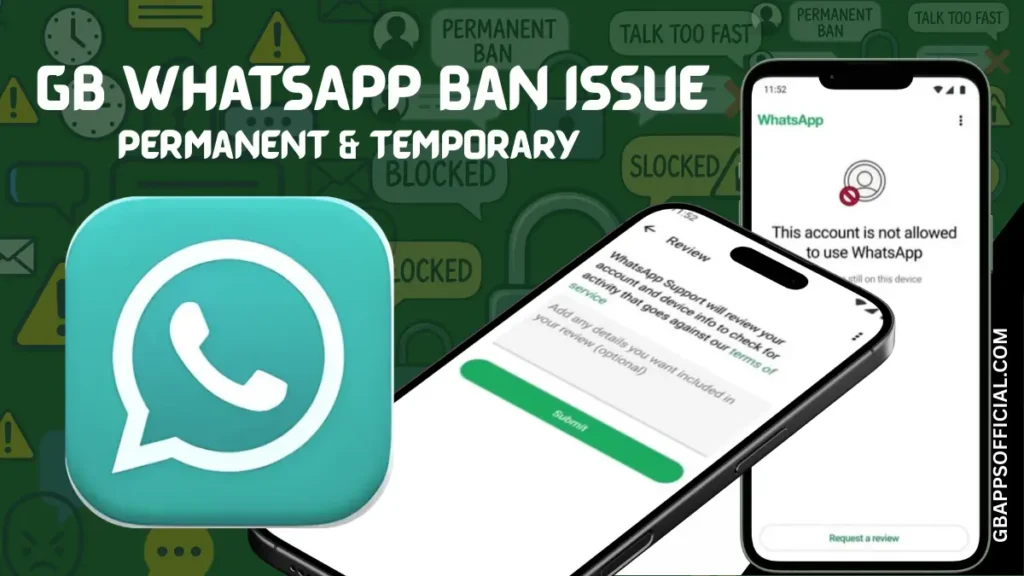
GB WhatsApp Ban Issue: Complete Guide to Temporary/Permanent Bans in 2026
Getting banned from WhatsApp is frustrating, especially when you’re using GB WhatsApp and suddenly lose access to all your conversations, groups, and contacts. Whether you’re facing a temporary suspension or worried about a permanent ban, this comprehensive guide will help you understand why bans happen, how to fix them, and most importantly, how to prevent them from happening again.
Understanding WhatsApp Bans: What You Need to Know
Before we dive into solutions, let’s understand exactly what we’re dealing with. WhatsApp has become increasingly strict about enforcing their Terms of Service, and using modified versions like GB WhatsApp puts you in their crosshairs.
Why Does WhatsApp Ban GB WhatsApp Users?
WhatsApp’s official stance is clear: they only support their official application. When you use GB WhatsApp, you’re using an unauthorized, modified version that WhatsApp considers a security risk. Their reasoning includes protecting user privacy, preventing spam, maintaining platform integrity, and ensuring all users have the same secure experience.
From WhatsApp’s perspective, they can’t verify what modified apps are doing with user data or how they might compromise their network. This is why they actively scan for and ban accounts using unofficial versions, regardless of whether you’re actually doing anything harmful.
The Ban Detection System: How They Catch You
WhatsApp uses sophisticated automated systems to detect modified applications. These systems analyze your app’s signature, monitor communication patterns with their servers, track unusual feature usage, examine your messaging behavior, and look for authentication anomalies.
Think of it like airport security with multiple checkpoints. Even if you pass one check, there are several others waiting. This multi-layered approach makes it challenging (though not impossible) to avoid detection when using modified apps.
Types of WhatsApp Bans Explained
Not all bans are created equal. Understanding which type you’re facing helps you respond appropriately and increases your chances of recovery.
Temporary Ban (24-48 Hours)
This is the most common type and usually the first warning WhatsApp gives. You’ll see a message saying your account is temporarily banned and will be restored after a specific time period, typically 24 to 48 hours.
What triggers it:
- First-time detection of GB WhatsApp usage
- Unusual activity patterns
- Sudden spike in messages sent
- Multiple failed login attempts
- Switching between official and modified apps frequently
What happens during the ban:
- You cannot send or receive messages
- Your account appears offline to others
- You cannot update your status or profile
- Group messages are inaccessible
- Calls and video calls are disabled
Recovery chances: Excellent – nearly 100% automatic recovery after the ban period expires.
Extended Temporary Ban (7-30 Days)
If you continue using GB WhatsApp after your first temporary ban or engage in more suspicious activities, WhatsApp escalates to longer suspensions.
What triggers it:
- Repeated violations after initial warning
- Continued use of modified apps
- Bulk messaging or spam-like behavior
- Multiple accounts from same device showing violations
- Ignoring previous warnings
What happens during the ban: Same restrictions as 24-48 hour bans, but lasting much longer. This is WhatsApp’s way of telling you they’re serious about enforcement.
Recovery chances: Very good – your account will restore automatically, but you’re now on thin ice.
Permanent Ban
This is the nuclear option. WhatsApp permanently disables your account and phone number, preventing you from using WhatsApp services indefinitely.
What triggers it:
- Multiple repeated violations after temporary bans
- Severe Terms of Service violations
- Suspected spam or malicious activity
- Using automation tools or bots
- Being reported by multiple users
- Extreme bulk messaging
What happens during the ban:
- Complete loss of account access
- All chat history becomes inaccessible (unless backed up)
- Cannot register the same number again
- Phone number is blacklisted
- No automatic recovery
Recovery chances: Very low – requires appeals and even then, success is rare.
Feature-Specific Restrictions
Sometimes WhatsApp doesn’t ban your entire account but restricts specific features as a warning.
Common restrictions:
- Cannot send messages to users not in contacts
- Cannot forward messages
- Cannot create new groups
- Cannot send media files
- Limited status updates
What triggers it:
- Suspicious forwarding patterns
- Adding too many unknown contacts
- Rapid group creation
- Unusual sharing behavior
Recovery chances: Excellent – usually lifts automatically within hours to days if you modify behavior.
Ban Types Comparison Table
| Ban Type | Duration | Severity | Auto-Recovery | Can Appeal | Success Rate |
|---|---|---|---|---|---|
| Soft Warning | Instant lift | Very Low | Yes | N/A | 100% |
| Temporary 24-48h | 1-2 days | Low | Yes | Not needed | 100% |
| Extended Temporary | 7-30 days | Medium | Yes | Not needed | 100% |
| Feature Restriction | Varies | Low-Medium | Usually | Rarely needed | 95% |
| Permanent Ban | Indefinite | Very High | No | Yes | 10-20% |
Recognizing the Signs: How to Know You’re Banned
Understanding what type of ban you’re facing starts with recognizing the symptoms. Here’s what each ban looks like from your perspective.
Temporary Ban Indicators
When you open WhatsApp or GB WhatsApp, you’ll see a clear message stating: “Your phone number is banned from using WhatsApp. Contact support for help.” The message typically includes a countdown timer showing when your account will be restored.
Other signs include:
- All chats show as empty or won’t load
- “Connecting…” message that never completes
- Cannot verify your phone number
- Error messages when trying to send messages
- Profile picture and status disappeared
Permanent Ban Indicators
The message is similar but more severe: “Your phone number is banned from using WhatsApp” without any countdown timer or restoration date. This is the key difference – no time frame means permanent.
Additional indicators:
- Support contact information provided for appeals
- Verification attempts fail immediately
- Error message persists after 48 hours
- Cannot reinstall and re-register
- Phone number rejected during setup
Feature Restriction Signs
Unlike full bans, feature restrictions are subtler. You can still use WhatsApp but with limitations:
- “Cannot send message to this contact” errors
- “You can’t forward this message” notifications
- Unable to create new groups
- Media sending fails while text works
- Status update option grayed out
Why Your GB WhatsApp Account Got Banned: Common Causes
Let’s dig into the specific reasons why WhatsApp might have targeted your account. Understanding the cause helps prevent future bans.
Using Outdated GB WhatsApp Versions
This is the number one reason for bans. If you’re running an old version of GB WhatsApp that hasn’t been updated in months, you’re basically waving a red flag at WhatsApp’s detection systems.
Outdated versions lack current anti-ban protection mechanisms that developers continuously update to counter WhatsApp’s evolving detection methods. What worked six months ago might be completely ineffective today.
Aggressive Messaging Behavior
Even with perfect anti-ban protection, behaving like a spammer will get you banned. This includes:
- Sending identical messages to 50+ contacts within minutes
- Forwarding the same message to multiple groups rapidly
- Creating multiple new groups in a short period
- Adding hundreds of unknown contacts quickly
- Using broadcast lists excessively
WhatsApp’s spam detection algorithms don’t care which app you’re using – spam is spam.
Switching Between Apps Too Frequently
Using official WhatsApp on Monday, switching to GB WhatsApp on Tuesday, back to official on Wednesday creates massive red flags. Your account signature keeps changing, authentication patterns become inconsistent, and device fingerprints don’t match up.
This behavior screams “unauthorized access” to WhatsApp’s security systems, often resulting in immediate bans.
Getting Reported by Other Users
If multiple users report your account for spam, harassment, or suspicious activity, WhatsApp will investigate regardless of which app you’re using. User reports carry significant weight in ban decisions.
Common report triggers:
- Unsolicited promotional messages
- Adding people to groups without permission
- Sending inappropriate content
- Harassment or threatening messages
- Impersonating others
Using Multiple Accounts Carelessly
Running multiple GB WhatsApp accounts on the same device or constantly switching between accounts can trigger bans. WhatsApp tracks device identifiers, and unusual multi-account patterns raise suspicions.
Common Ban Triggers Table
| Trigger | Risk Level | Detection Speed | Preventable | Solution |
|---|---|---|---|---|
| Outdated App Version | Very High | Fast (hours-days) | Yes | Update immediately |
| Bulk Messaging | High | Immediate | Yes | Reduce frequency |
| App Switching | High | Medium (days) | Yes | Pick one app |
| User Reports | Very High | Fast (hours) | Partially | Proper behavior |
| Multiple Accounts | Medium | Slow (weeks) | Yes | Use carefully |
| Automation Tools | Very High | Immediate | Yes | Avoid completely |
| VPN/Proxy Issues | Medium | Medium | Yes | Use reputable VPNs |
| Suspicious Downloads | Low | Slow | Yes | Trusted sources only |
Immediate Actions: What to Do When You Get Banned
You’ve been banned. Don’t panic – here’s your step-by-step action plan depending on your ban type.
For Temporary Bans (24-48 Hours)
Step 1: Verify the Ban Type Open the app and carefully read the ban message. Look for a countdown timer or specific restoration date. If present, it’s a temporary ban and will resolve automatically.
Step 2: Do Not Attempt to Bypass Resist the urge to try workarounds like using VPNs, changing phone numbers, or installing different versions. These actions can escalate your temporary ban to permanent.
Step 3: Create a Complete Backup While banned, you can’t access your messages, but if you have a recent backup, secure it immediately. If you don’t have one, create one as soon as the ban lifts.
Step 4: Wait Patiently The hardest part – just wait. The ban will lift automatically after the specified period. Use this time to review what caused the ban and plan preventive measures.
Step 5: Switch to Official WhatsApp Temporarily If you absolutely need WhatsApp access during the ban period, consider temporarily switching to official WhatsApp with your number. However, be cautious about frequent switching.
For Extended Temporary Bans (7-30 Days)
Step 1: Accept the Consequences An extended ban means WhatsApp has detected repeated violations. Accept that you’ll be without service for the full duration.
Step 2: Plan Your Return Strategy During the ban period, decide whether to continue with GB WhatsApp (with better precautions) or switch permanently to official WhatsApp.
Step 3: Update Your Contacts Inform important contacts through alternative channels (SMS, email, other messaging apps) that you’re temporarily unavailable on WhatsApp.
Step 4: Research Current GB WhatsApp Versions If you plan to continue with GB WhatsApp, research the latest versions with the best anti-ban protection during your suspension.
Step 5: Prepare for Safe Return Download the latest official GB WhatsApp version, read updated safety guidelines, and commit to more conservative usage patterns.
For Permanent Bans
Step 1: Confirm It’s Actually Permanent Wait at least 48-72 hours to ensure it’s not just an extended temporary ban. Check the message carefully for any restoration timeline.
Step 2: Export Any Available Backups If you have Google Drive or local backups from before the ban, secure them immediately. These might be your only way to recover chat history.
Step 3: Contact WhatsApp Support Submit an appeal through WhatsApp’s support system. Be honest, apologize for violations, explain your situation, and request reconsideration.
Step 4: Prepare Your Appeal When appealing, include:
- Your phone number
- When the ban occurred
- Brief explanation acknowledging any mistakes
- Commitment to using official WhatsApp
- Request for one more chance
Step 5: Consider Alternative Solutions While waiting for appeal response (which can take days or weeks), explore alternatives like using a different phone number or switching to official WhatsApp with a new number.
Emergency Response Timeline
| Time After Ban | Action Required | Priority | Expected Outcome |
|---|---|---|---|
| 0-1 hour | Verify ban type | Critical | Understand situation |
| 1-3 hours | Secure backups | High | Protect data |
| 3-24 hours | Plan response | Medium | Develop strategy |
| 24-48 hours | Wait/Monitor | High | Temporary ban lifts |
| 48+ hours | Submit appeal | Critical | For permanent bans |
| 1 week | Follow up appeal | Medium | Check status |
| 2+ weeks | Consider alternatives | Medium | Move forward |
How to Appeal a Permanent WhatsApp Ban
If you’re facing a permanent ban, appealing is your only hope. Here’s how to maximize your chances of success.
The Official Appeal Process
Method 1: In-App Appeal When you see the ban message, there’s usually an option that says “Support” or “Contact us.” Tap this to submit a built-in appeal directly through the app.
Method 2: Email Appeal Send a detailed email to WhatsApp support at support@whatsapp.com with the subject line “Appeal for Banned Account – [Your Phone Number].”
Method 3: Help Center Visit WhatsApp’s Help Center website and navigate to their contact or support section to submit a formal appeal request.
Crafting an Effective Appeal
Your appeal message makes all the difference. Here’s what works:
Do This:
- Be honest and acknowledge using a modified app
- Apologize sincerely for violating Terms of Service
- Explain you didn’t understand the severity
- Commit to using only official WhatsApp going forward
- Be polite, respectful, and concise
- Include your phone number in international format
- Mention if this is your first violation
Avoid This:
- Making excuses or blaming others
- Claiming you didn’t know (they don’t care)
- Being aggressive or demanding
- Lying about not using GB WhatsApp
- Sending multiple appeals immediately
- Using threatening language
- Mentioning you’ll continue using modified apps
Sample Appeal Template
Here’s a template you can customize:
“Subject: Appeal for Banned Account – +[Your Country Code][Your Number]
Dear WhatsApp Support Team,
I am writing to appeal the permanent ban placed on my account associated with phone number +[Your Number]. I acknowledge that I was using a modified version of WhatsApp (GB WhatsApp), which I now understand violates your Terms of Service.
I sincerely apologize for this violation. I was not fully aware of the security risks and policy implications when I chose to use the modified application. I have learned from this experience and understand the importance of using only official WhatsApp.
This is my first violation, and I have used WhatsApp for [X] years with this number. This account contains important conversations and connections that are valuable to me personally and professionally.
I respectfully request that you consider lifting this ban. If given another chance, I commit to:
- Using only the official WhatsApp application
- Following all Terms of Service completely
- Maintaining proper messaging etiquette
- Reporting any suspicious activity I encounter
I understand if the ban must remain in place, but I sincerely hope you will consider my appeal and give me the opportunity to continue using WhatsApp responsibly.
Thank you for your time and consideration.
Respectfully, [Your Name]”
Appeal Success Factors
| Factor | Impact on Success | How to Improve |
|---|---|---|
| First-Time Violation | Very High | Emphasize this in appeal |
| Honest Acknowledgment | High | Admit using GB WhatsApp |
| Polite Tone | Medium | Professional language |
| Account Age | Medium | Mention long-term usage |
| Response Time | Low | Appeal within 48 hours |
| Previous Warnings | Negative | Be extra apologetic |
| Multiple Appeals | Negative | One well-crafted appeal |
Realistic Expectations
Be honest with yourself about success rates. If this is your first ban and you appeal properly, you have roughly 15-25% chance of success. Multiple violations drop this to under 10%. WhatsApp receives thousands of appeals daily and rejects most of them.
Even if your appeal is successful, your account will be monitored more closely going forward. Any future violations will likely result in immediate permanent bans with no appeal options.
Preventing Future Bans: Your Complete Protection Strategy
Whether you’re recovering from a ban or want to avoid your first one, prevention is everything. Here’s your comprehensive strategy.
Choose the Right GB WhatsApp Version
Not all GB WhatsApp versions are equally safe. The version you choose dramatically impacts your ban risk.
What to look for:
- Recent update date (within last 30 days)
- Active developer community
- Regular anti-ban updates specifically mentioned
- Positive user reviews about safety
- Clear version numbering and changelog
- Matches current official WhatsApp version closely
Red flags to avoid:
- No updates in 3+ months
- Unknown or suspicious developers
- Promises that sound too good to be true
- No user community or feedback
- Extremely old base WhatsApp version
- Sketchy download sources
Update Religiously
Set a monthly reminder to check for GB WhatsApp updates. Staying current is your best defense against bans.
Create an update schedule:
- Check for updates every 2 weeks minimum
- Read changelogs to understand what changed
- Update within 24 hours of new anti-ban releases
- Never skip security-focused updates
- Verify download source each time
Practice Safe Usage Patterns
Even with perfect anti-ban protection, your behavior matters enormously.
Safe messaging habits:
- Send messages to 5-10 contacts maximum at once
- Wait 2-3 minutes between bulk forwards
- Limit group creations to 2-3 per week
- Add new contacts gradually over days
- Avoid identical messages to many people
- Use broadcast lists sparingly
- No automated messaging tools ever
Safe feature usage:
- Enable privacy features moderately
- Don’t hide everything simultaneously
- Use custom themes but nothing extreme
- Moderate status update frequency
- Respect media sharing limits
- Avoid suspicious third-party plugins
The One-App Rule
This is critical: choose GB WhatsApp OR official WhatsApp and stick with it for at least 30 days. Frequent switching is a major ban trigger.
If you must switch:
- Backup everything first
- Uninstall the old version completely
- Wait 24 hours before installing new version
- Only switch once per month maximum
- Never switch during active use periods
Device and Network Safety
Your device and connection can also affect ban risk.
Device best practices:
- Use only one WhatsApp per phone
- Keep your Android OS updated
- Don’t use suspicious mod tools
- Avoid too many concurrent mods
- Clear cache regularly
- Ensure adequate storage space
Network considerations:
- Use stable WiFi or mobile data
- Avoid frequent VPN switching
- Don’t use sketchy proxy servers
- Maintain consistent IP addresses when possible
- Avoid public WiFi for WhatsApp
Prevention Strategy Checklist
| Prevention Measure | Priority | Frequency | Difficulty | Impact |
|---|---|---|---|---|
| Update GB WhatsApp | Critical | Bi-weekly | Easy | Very High |
| Download from trusted source | Critical | Per install | Easy | Very High |
| Limit bulk messaging | High | Daily | Medium | High |
| Avoid app switching | High | Monthly | Easy | High |
| Use features moderately | Medium | Daily | Medium | Medium |
| Maintain backups | High | Weekly | Easy | Medium |
| Monitor for warnings | High | Daily | Easy | High |
| Review usage patterns | Medium | Weekly | Medium | Medium |
Recovering After a Ban: Getting Back to Normal
Your ban has lifted or your appeal succeeded. Now what? Here’s how to return safely and avoid repeat incidents.
First 24 Hours After Ban Lifts
Hour 1-3: Verify and Update
- Confirm full access is restored
- Test sending/receiving messages
- Check all features work properly
- Immediately update to latest GB WhatsApp version
- Verify your backup is current
Hour 3-12: Cautious Activity
- Send only essential messages
- No bulk forwarding or group activities
- Update only critical contacts
- Avoid using advanced features
- Monitor for any issues or warnings
Hour 12-24: Gradual Return
- Slowly increase normal usage
- Respond to accumulated messages
- Update profile if needed
- Check group memberships
- Verify everything functions normally
First Week After Ban
Adopt extremely conservative usage patterns for at least 7 days:
- Minimal forwarding (2-3 messages max per day)
- No new group creation
- Limited status updates (1-2 daily)
- Only message known contacts
- No experimental features
- Regular backup maintenance
- Watch for any restriction warnings
First Month Strategy
Your account is under heightened scrutiny. WhatsApp’s systems flag previously banned numbers for closer monitoring.
Week 1-2: Ultra Conservative Absolute minimum usage of advanced features. Focus on basic messaging only.
Week 3-4: Gradual Expansion Slowly reintroduce normal usage patterns but remain well below your pre-ban levels.
Month 2+: Careful Normal Usage Return to regular patterns but permanently adopt safer practices learned from the ban experience.
Post-Ban Adjustment Table
| Time Period | Activity Level | Feature Usage | Risk Status | Recommendations |
|---|---|---|---|---|
| Hour 0-24 | Minimal | Basic only | Very High | Extreme caution |
| Day 2-7 | Low | Limited | High | Conservative approach |
| Week 2-3 | Moderate | Selective | Medium-High | Gradual increase |
| Week 4+ | Normal (reduced) | Careful | Medium | New safer habits |
| Month 2+ | Normal | Moderate | Normalized | Maintain precautions |
Alternative Solutions: Your Options Beyond GB WhatsApp
Sometimes the ban risk isn’t worth it. Let’s explore your alternatives.
Option 1: Return to Official WhatsApp
The safest choice with zero ban risk.
Advantages:
- No ban concerns ever
- Automatic updates through Play Store
- Official support available
- Guaranteed security and privacy
- Works with all features reliably
- Future-proof as WhatsApp evolves
Disadvantages:
- Limited customization options
- Fewer privacy controls
- Smaller file size limits
- No advanced features
- Less flexibility overall
- Standard green interface only
Option 2: Try Other Modified WhatsApp Apps
If you loved GB WhatsApp features but want better safety, consider alternatives.
FM WhatsApp: Known for strong anti-ban protection and regular updates. Similar features to GB WhatsApp with slightly different interface.
WhatsApp Plus: Another popular option with extensive customization. Has dedicated development team and active community.
YoWhatsApp: Focuses on privacy features and clean interface. Regular security updates and good anti-ban record.
Important: Research current ban reports for any alternative before switching. What’s safe today might not be safe tomorrow.
Option 3: Use Two Separate Accounts
Some users maintain both official WhatsApp and GB WhatsApp APK with different numbers.
How it works:
- Official WhatsApp for important contacts (work, family)
- GB WhatsApp for casual use with enhanced features
- Completely separate phone numbers
- No risk to your primary account
- Best of both worlds
Requirements:
- Access to two phone numbers
- Enough device storage for both apps
- Manage two separate accounts
- Keep usage completely separate
Option 4: Dual WhatsApp on Official App
WhatsApp now officially supports dual accounts on some devices.
Many Android phones include native dual app features that let you run two instances of official WhatsApp legally and safely. Check your device settings for “Dual Apps,” “Clone Apps,” or similar features.
Comparison of Alternatives
| Option | Safety | Features | Customization | Convenience | Best For |
|---|---|---|---|---|---|
| Official WhatsApp | Perfect | Standard | Minimal | Excellent | Risk-averse users |
| GB WhatsApp (updated) | Good | Extensive | Maximum | Good | Feature seekers |
| FM WhatsApp | Good | Extensive | High | Good | Alternatives seekers |
| WhatsApp Plus | Good | Many | High | Good | Customization fans |
| Dual Accounts | Perfect | Standard | Minimal | Medium | Professional users |
| YoWhatsApp | Good | Many | High | Good | Privacy focused |
Understanding WhatsApp’s Perspective: Why They Ban Modified Apps
To truly avoid bans, it helps to understand why WhatsApp fights so hard against modified apps.
Security Concerns
WhatsApp’s primary argument is security. They can’t verify what modified apps do with user data. GB WhatsApp developers could potentially:
- Access message content
- Collect contact information
- Monitor user activity
- Inject malicious code
- Bypass encryption
While reputable GB WhatsApp versions don’t do these things, WhatsApp can’t differentiate between safe mods and dangerous ones.
Platform Integrity
WhatsApp wants complete control over user experience and functionality. Modified apps:
- Bypass their feature limitations
- Introduce untested capabilities
- Create inconsistent experiences
- Potentially introduce bugs affecting their infrastructure
- Make troubleshooting user issues difficult
Business Model Protection
WhatsApp (owned by Meta/Facebook) has business interests in controlling their platform:
- Monetization through business features
- Data analytics for Meta ecosystem
- Advertising integration plans
- Preventing competing features
- Maintaining App Store agreements
Network Stability
Millions of users running modified apps with unpredictable behavior could affect WhatsApp’s server infrastructure. They need predictable, controllable client behavior to maintain service quality.
Legal Liability
If a modified app causes data breaches, privacy violations, or security incidents, WhatsApp could face legal consequences even though they didn’t create the modified version.
Real User Experiences: Ban Stories and Lessons Learned
Learning from others’ mistakes helps you avoid the same pitfalls. Here are anonymized stories from real GB WhatsApp users.
Case Study 1: The Serial Updater Who Never Got Banned
“I’ve used GB WhatsApp for 3 years without a single ban. My secret? I check for updates every single week without fail. I use a calendar reminder every Sunday morning. I’ve updated my GB WhatsApp 47 times in those 3 years. I also never forward the same message to more than 5 people, and I never rush. People think I’m lucky, but it’s just discipline.”
Lesson: Consistent updates and conservative usage trump luck every time.
Case Study 2: The Weekend Ban Survivor
“Got my first temporary ban on a Friday night – terrible timing for the weekend. I was using a 4-month-old GB WhatsApp version because I kept postponing updates. Learned my lesson hard. Now I update immediately when new versions release. Haven’t had issues since, but those 48 hours taught me the importance of staying current.”
Lesson: Outdated versions are the most common ban cause. Don’t procrastinate updates.
Case Study 3: The Permanent Ban Reversal
“Received a permanent ban after using GB WhatsApp for 6 months. I had switched between official WhatsApp and GB WhatsApp about 5 times that month – huge mistake. Wrote a sincere appeal explaining I didn’t understand the risks. Took 2 weeks, but they lifted it. Now I stick with one app and haven’t switched in 8 months.”
Lesson: App switching is dangerous, and honest appeals sometimes work.
Case Study 4: The Bulk Sender
“I run a small business and used to send promotional messages to 100+ customers daily through GB WhatsApp. Got banned three times – first temporary, second extended, third permanent. Lost my business number and all customer contacts. Now I use official WhatsApp Business properly. The features I wanted weren’t worth losing my business communications.”
Lesson: Business use of GB WhatsApp is extremely risky. Official WhatsApp Business is safer.
Case Study 5: The Feature Abuser
“I loved GB WhatsApp’s privacy features and enabled everything – hide online, hide blue ticks, hide typing, hide recording, everything. Got restricted within a week, then banned shortly after. Realized that using every privacy feature simultaneously looks suspicious. Now I use features moderately and haven’t had issues.”
Lesson: Extreme privacy settings can trigger detection. Moderation is key.
FAQ: Your Burning Questions Answered
Let’s address the most common questions about GB WhatsApp bans.
Can I Use GB WhatsApp Without Ever Getting Banned?
While no modified app can guarantee 100% ban immunity, you can dramatically minimize risk. Users who stay updated, use features conservatively, and avoid suspicious patterns can use GB WhatsApp for years without issues. However, there’s always some level of inherent risk.
How Does WhatsApp Detect GB WhatsApp?
WhatsApp uses multiple detection methods including app signature verification, communication pattern analysis, feature usage monitoring, device fingerprinting, and behavioral algorithms. It’s a sophisticated multi-layered system that’s constantly evolving.
Can I Switch Back to Official WhatsApp After Using GB WhatsApp?
Yes, you can switch back anytime. Backup your GB WhatsApp chats, uninstall GB WhatsApp, install official WhatsApp, and restore your backup during setup. However, frequent switching between apps increases ban risk significantly.
Will Using VPN Prevent Bans?
No, VPNs don’t prevent WhatsApp from detecting modified apps. Detection happens at the application level, not network level. VPNs might actually increase suspicion if you frequently change locations or use suspicious proxy services.
Can I Get My Old Chats Back After Permanent Ban?
If you had backups before the ban, you can restore them to a new WhatsApp account with a different phone number. Without backups, your chat history is permanently lost. This is why regular backups are crucial.
How Long Should I Wait Before Using GB WhatsApp After a Ban?
After a temporary ban lifts, wait at least 24-48 hours and ensure you’re using the latest GB WhatsApp version with updated anti-ban protection. After a permanent ban that gets reversed through appeal, wait at least a week and seriously consider using official WhatsApp instead.
Is There a Completely Safe Modified WhatsApp?
No modified WhatsApp app is completely safe from bans because they all violate WhatsApp’s Terms of Service. However, regularly updated versions from reputable developers with active anti-ban development significantly reduce risk.
Can WhatsApp Ban My Phone Permanently?
WhatsApp bans phone numbers, not devices. You can use a different number on the same phone. However, if you engage in serious violations, they might block device identifiers, making it harder to create new accounts on that device.
Final Thoughts: Making the Right Choice for You
Dealing with GB WhatsApp bans comes down to understanding risks, taking precautions, and being honest with yourself about priorities.
The Reality Check
Using GB WhatsApp means accepting some level of ban risk no matter how careful you are. WhatsApp continuously improves detection methods, and what works today might not work tomorrow. You need to decide if the enhanced features are worth this ongoing risk.
For Active GB WhatsApp Users
If you choose to continue with GB WhatsApp:
- Commit to weekly update checks
- Use features conservatively
- Maintain regular backups
- Stay informed about ban reports
- Have a backup plan ready
- Never use it for critical communications
For Those Considering GB WhatsApp
If you’re thinking about trying GB WhatsApp:
- Understand all risks completely
- Start with less important accounts
- Research current versions thoroughly
- Join user communities for updates
- Have official WhatsApp as backup
- Never use your business number
For Ban Survivors
If you’ve recovered from a ban:
- Take it as a serious warning
- Adopt permanently safer habits
- Consider switching to official WhatsApp
- If continuing with GB WhatsApp, be extremely cautious
- Maintain multiple backups always
- Monitor for any warning signs obsessively
The Bottom Line
GB WhatsApp bans are real, increasing in frequency, and can happen to anyone. However, with proper knowledge, updated software, conservative usage, and realistic expectations, you can minimize risks significantly.
Your account security ultimately depends on your choices and habits. WhatsApp holds all the cards, but you control how you play your hand. Stay informed, stay updated, stay cautious, and you’ll maximize your chances of enjoying GB WhatsApp’s features while avoiding the ban hammer.
Remember: the safest WhatsApp is official WhatsApp. Everything else involves calculated risk. Make sure you’re calculating correctly.